Instant Access on Any Device
Jeet City runs entirely in your browser - Chrome, Safari, Firefox, or Samsung Internet - so your account, cashier, and full game lobby are always one tap away.
Sign In to Jeet City
Access your account to play 10,000+ pokies, claim your loyalty rewards, and manage deposits and withdrawals - from any browser on any device.
Account Security: Do's and Don'ts
What You Should Do
What You Should Avoid
Your Account, Your Way
Instant Access on Any Device
Jeet City runs entirely in your browser - Chrome, Safari, Firefox, or Samsung Internet - so your account, cashier, and full game lobby are always one tap away.
Two-Factor Authentication
Enable 2FA in your account security settings to add a second verification step on every login, keeping your funds and personal details protected.
Mobile Login Without an App
The mobile-optimised site loads in full via your phone's browser. Save a PWA shortcut to your home screen for one-tap sign-in that behaves like a native app.
Signing in to Jeet City requires only your registered email address and password. The login screen is available from the top of every page on the site and loads fully on any device through any modern browser. Two-factor authentication can be activated in your security settings to add an SMS or email verification step to every login, which we strongly recommend for accounts that hold a balance or have active bonus funds.
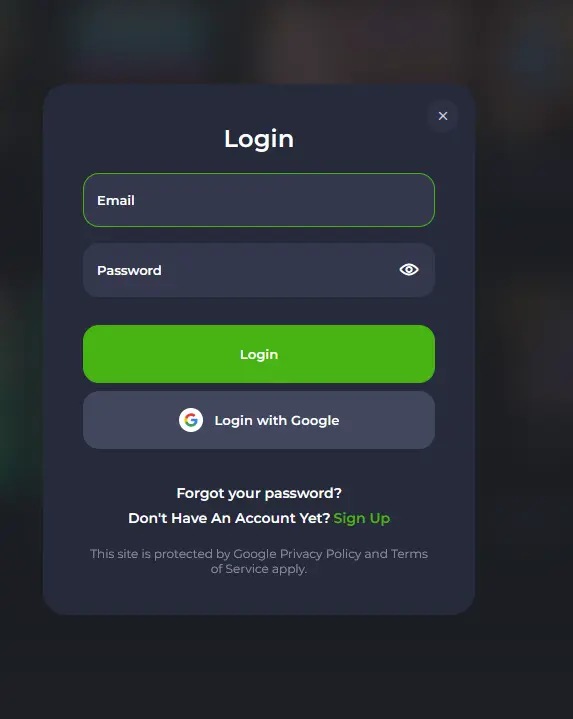
Open jeetcity24.com and click the Login button at the top right of the page. Enter your registered email address in the first field and your password in the second. If 2FA is active, a verification code will arrive via SMS or email and must be entered before access is granted. The dashboard will load with your balance, current bonuses, and the full game lobby.
Navigate to jeetcity24.com in Chrome, Safari, Firefox, or Samsung Internet on your phone or tablet. The site detects your screen size and automatically displays the mobile layout. Tap the Login icon at the top of the screen, enter your credentials, complete 2FA if enabled, and your account loads in full. All cashier functions, live dealer tables, and bonus management tools are available on mobile.
To create a one-tap login shortcut on your home screen, visit jeetcity24.com in Chrome on Android or Safari on iOS. On Chrome, tap the three-dot menu and select “Add to Home Screen.” On Safari, tap the Share icon and choose “Add to Home Screen.” The shortcut behaves like a native app and opens directly to the login screen without typing the address each time.
If the correct email and password are not accepted, the most common causes are a mistyped password (check for caps lock), a password that was reset after a previous session, or an account that has been temporarily locked after multiple failed attempts. The password reset function on the login screen resolves the first two cases immediately. For a locked account, contacting the support team via live chat or at [email protected] will restore access after identity confirmation.
If a 2FA code is not arriving, check that the phone number or email on the account is current. The 2FA delivery address can be updated through the account security settings. If the registered phone number has changed, email [email protected] from the registered account email for manual verification.
If the site is not loading, clearing browser cache and cookies or switching to a different browser resolves most technical access issues. The Jeet City platform supports Chrome, Safari, Firefox, Edge, Opera, Samsung Internet, and Brave.
A strong and unique password is the first line of defence for any Jeet City account. Use a combination of upper and lower case letters, numbers, and symbols, and do not reuse the same password on other platforms. Two-factor authentication, once enabled, means that even if a password is compromised, no one can access your account without also having your phone or email. Session tokens expire automatically after a period of inactivity, requiring a fresh login to resume play. Always log out completely when using a device you do not control.
Jeet City support staff will never ask for your password. Any message claiming to be from Jeet City and requesting your login details should be treated as fraudulent and reported to [email protected] immediately.
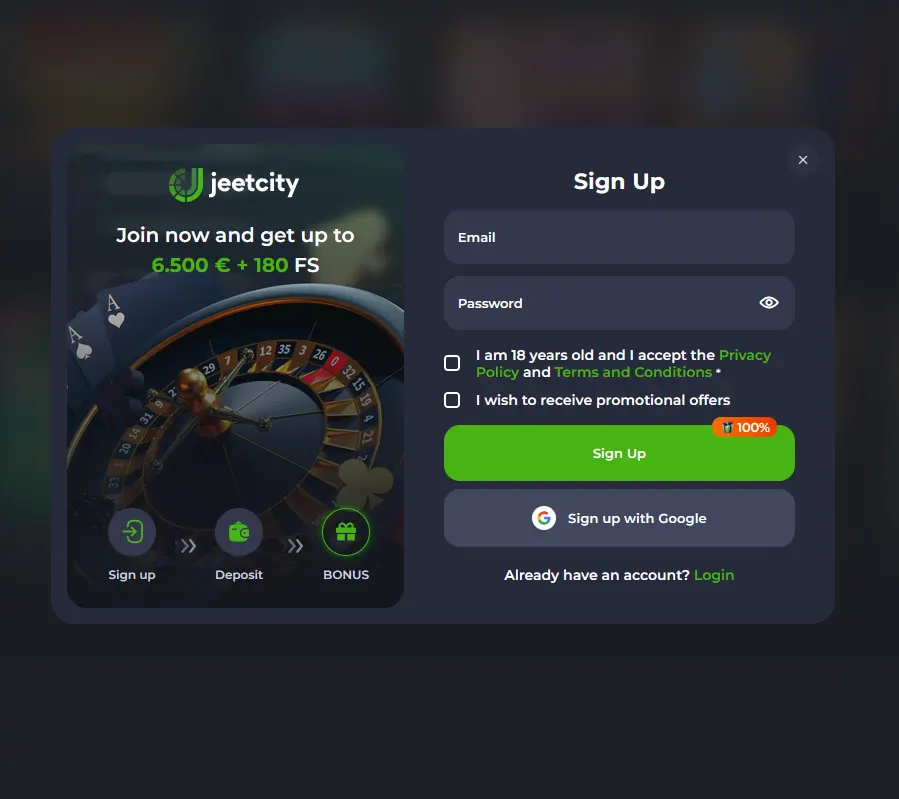
Creating a Jeet City Casino account takes under three minutes. Register with an email address, choose a password, and select AUD as your currency. Once your email is confirmed, the account is active and ready for your first deposit. New players are eligible for the three-deposit welcome package worth up to AU$10,000 plus 180 free spins. 18+ only. Wagering requirements apply. One account per person, household, device, and IP address.
Login and Account Questions
Click the 'Forgot Password' link on the login screen and enter your registered email address. A reset link will be sent within a few minutes; check your spam folder if it does not appear in your inbox.
Yes. Jeet City has no native app, but the full site including the cashier, pokies lobby, and live casino tables loads through Safari, Chrome, or any mobile browser. You can also add a PWA shortcut to your home screen for quicker access.
The system locks an account temporarily after multiple incorrect login attempts to protect against unauthorised access. Contact [email protected] or use live chat to unlock your account and reset your password.
Don't Have an Account Yet?
Grab 100% up to A$10,000 and 180 free spins.
Enter the Casino Play responsibly - gambling carries a risk of addiction. Must be 18+ to play. Bonus offers are subject to terms and conditions.